What should a handyman do when a job runs longer than the estimate?
How to handle scope creep and overruns fairly so you protect both the customer relationship and your pay.
Stop and communicate before the extra time or cost piles up. If the scope grew or hidden problems appeared, explain it and agree on a change order. If you simply underestimated, weigh eating the difference against your reputation. Document the change so billing and expectations stay clear on both sides.
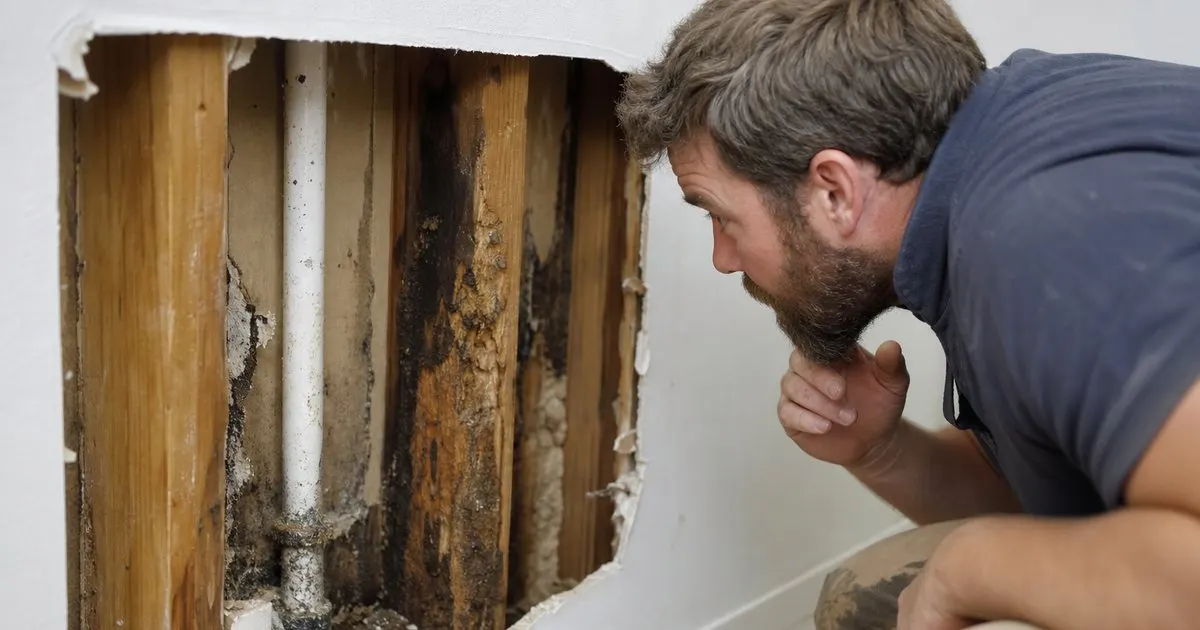
Figure out why it is running long
The first step when a job overruns is to understand why. There is a real difference between you underestimating a task and discovering a genuine new problem, like hidden rot or wiring that was not to code. The cause determines whether the extra time is on you or is a legitimate additional charge. Related: How much buffer time should a handyman leave between back-to-back jobs?
Being honest with yourself here matters. If you simply misjudged a straightforward job, eating that time protects your reputation, but if the wall opened up to reveal work nobody could have quoted, that is a new scope the customer should know about.
Keep reading: How do you schedule a full day of handyman jobs without wasting drive time?, What is the best way to write a handyman quote that wins the job?, Why do so many handyman estimates never turn into booked paying work?. See how HandyPlanr helps you handyman job scheduling and quote tracking.
Communicate before you rack up the hours
When a job grows because of something new, stop and talk to the customer before doing hours of unquoted work. Explain what you found, what it will take, and what it will cost, and get their go-ahead. Surprising them with a doubled bill at the end destroys trust even when the extra work was real. Related: Which parts of a handyman job change when the customer supplies their own materials?
This conversation is easier than handymen fear. Most customers understand that old houses hide surprises, and they far prefer a heads-up and a choice over a shocking invoice with no warning.
Put the change in writing
A verbal yes in the moment fades by billing time. When the scope grows, note the additional work and its cost and confirm it with the customer, even a quick text, so there is a record of what they approved. This protects you from the disputed final invoice and protects them from surprise.
Written approval also keeps you honest and organized. It forces you to name the added cost clearly rather than vaguely padding the final number, which is exactly the transparency that keeps customers coming back.
Learn from it for next time
Every overrun is data for better estimating. If certain jobs consistently run long, your quotes for them should be higher, and tracking where your estimates miss makes future quotes more accurate. The goal is fewer surprises, for you and the customer. Related: Why do so many handyman estimates never turn into booked paying work?
HandyPlanr keeps each job and its quote together, so you can see where actual work outran the estimate and adjust how you price similar jobs, turning today's overrun into a sharper quote next time. Related: How do you schedule a full day of handyman jobs without wasting drive time?
- Determine if the overrun is your miss or new scope.
- Talk to the customer before doing unquoted hours.
- Get added work approved in writing.
- Use overruns to sharpen future estimates.

Julien Jimenez
Julien Jimenez is an independent software builder based in Paris. He designs, ships, and operates focused SaaS products for small businesses and independent professionals. Read the full author page.
Frequently asked questions
Who absorbs the cost when you underestimated the job?
If the miss was your estimating error, absorbing it usually protects the relationship and your reputation. If the customer added work or hidden conditions caused it, a documented change order fairly shifts that cost to them.
When should you stop and issue a change order?
The moment the actual work clearly exceeds what was quoted, before you rack up the extra hours. Getting agreement upfront avoids a billing surprise and the dispute that often follows.
Book The Day, Close The Quote
Handyman job scheduling and quote tracking. HandyPlanr is built to help you put this into practice.
Start free trialMore from the HandyPlanr blog


Get the HandyPlanr playbook
Practical guides on handyman software, straight to your inbox as we publish them. No spam, unsubscribe any time.